
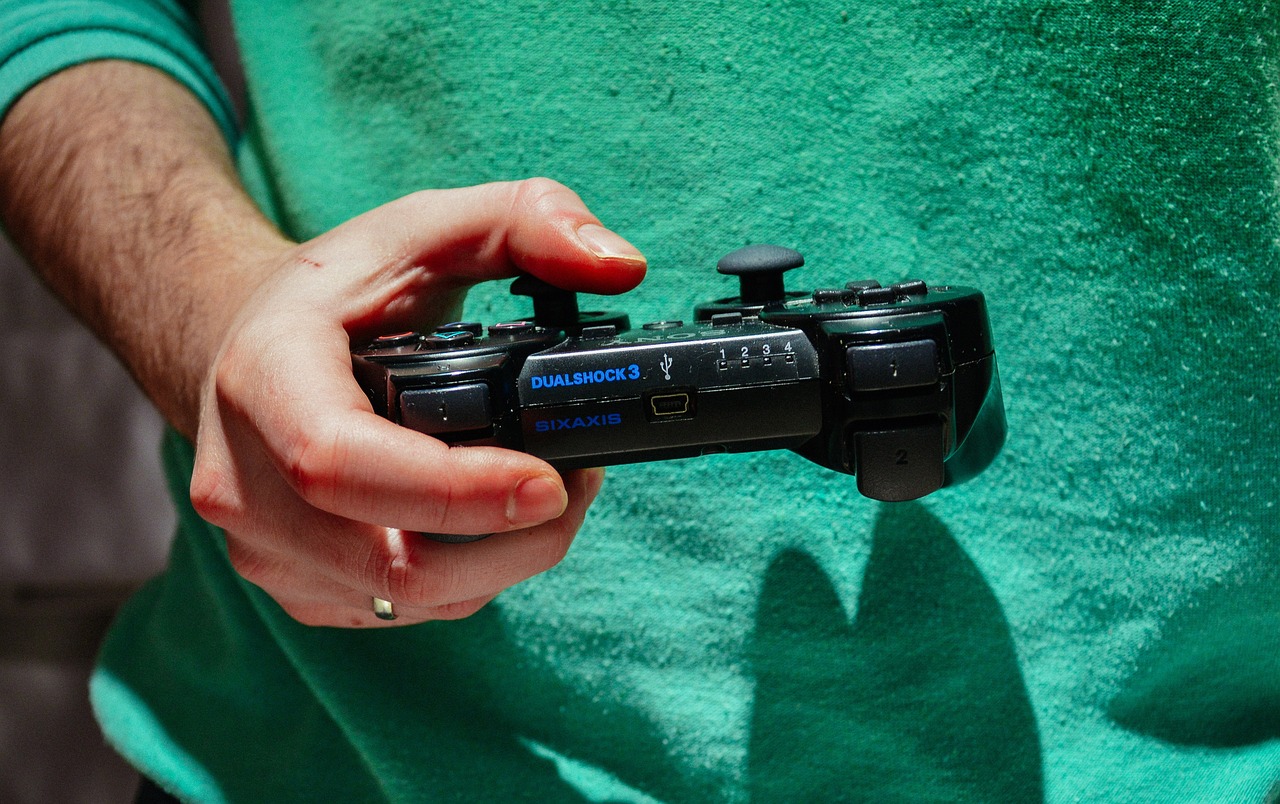
The world of PlayStation offers unparalleled gaming experiences, but even the most advanced consoles can benefit from strategic enhancements. Whether you’re a casual gamer looking for a smoother ride or a hardcore enthusiast aiming for every competitive edge, understanding the available PlayStation upgrades can profoundly transform your interaction with your favorite titles. From lightning-fast loading times to breathtaking visuals and immersive audio, a few smart investments can unlock your console’s full potential, ensuring your gaming setup is future-proofed and delivers the ultimate entertainment.
Internal Hardware Upgrades for Peak Performance
While the PlayStation 5 is a powerhouse out of the box, storage limitations and the continuous demand for larger game files make internal upgrades almost essential. Enhancing your console’s core components can dramatically improve loading speeds and overall system responsiveness.
Expand Your Storage with an M.2 NVMe SSD
One of the most impactful upgrades for your PlayStation 5 is expanding its internal storage. The PS5 supports high-speed M.2 NVMe SSDs, allowing you to install more games directly onto the console’s ultra-fast storage, ensuring they load just as quickly as games on the default drive.
- Benefits of an SSD Upgrade:
- Blazing-Fast Loading Times: Significantly reduces wait times, getting you into the action quicker.
- Seamless Gameplay: Helps prevent texture pop-in and ensures smoother transitions in open-world games.
- More Games Installed: With game sizes often exceeding 100GB, extra storage is invaluable.
- Choosing the Right SSD:
For PlayStation 5, look for M.2 NVMe PCIe Gen4 x4 SSDs with a sequential read speed of 5,500 MB/s or faster. A heatsink is also highly recommended to prevent thermal throttling.
Practical Example: Brands like Samsung (980 Pro, 990 Pro), Western Digital (SN850, SN850X), and Crucial (P5 Plus) offer compatible drives. Always check the official PlayStation support page for the latest compatibility requirements before purchasing.
- Installation Guide & Tips:
The PS5’s SSD slot is user-accessible. While relatively straightforward, it requires careful handling. You’ll need a Phillips head screwdriver. PlayStation provides clear video tutorials on their official channels. Remember to update your PS5’s system software to the latest version, as M.2 SSD support was added in a post-launch update.
Actionable Takeaway: Investing in a 1TB or 2TB compatible M.2 NVMe SSD with a heatsink is arguably the best single upgrade to future-proof your PS5 gaming experience and eliminate storage anxiety.
Elevating Your Visuals and Audio Experience
A powerful console like the PlayStation 5 deserves a display and audio setup that can fully showcase its capabilities. Upgrading your visual and auditory equipment can immerse you deeper into game worlds.
Unlocking Visual Fidelity: Displays and Settings
Your TV or monitor is the window to your game world. Ensuring it can handle the PS5’s graphical output is crucial for the best experience.
- The Power of a High-Refresh Rate Monitor/TV:
- 4K Resolution: Delivering crisp, detailed images for supported games.
- 120Hz Refresh Rate: Essential for buttery-smooth gameplay in titles that support higher frame rates (e.g., Call of Duty, Ratchet & Clank: Rift Apart in Performance Mode). Requires an HDMI 2.1 port.
- HDR (High Dynamic Range): Provides a wider range of colors and contrast, making scenes more vibrant and realistic.
- Optimizing In-Game Settings:
Many PS5 titles offer “Performance” and “Fidelity” modes. Performance mode prioritizes higher frame rates (e.g., 60fps, 120fps) often at a slightly reduced resolution, while Fidelity mode offers native 4K resolution and enhanced graphical details (ray tracing, better shadows) at a lower frame rate (e.g., 30fps). Experiment to find your preferred balance.
Actionable Takeaway: If you’re serious about next-gen visuals, prioritize a 4K TV/monitor with HDMI 2.1, 120Hz support, and good HDR performance. Calibrate your display settings using guides specific to your model for optimal clarity and color accuracy.
Immersive Audio Solutions
Sound is half the experience. The PS5’s Tempest 3D AudioTech is a game-changer, and the right equipment can bring it to life.
- Gaming Headsets:
A high-quality gaming headset, especially those designed for 3D audio, can provide incredible spatial awareness. The official Pulse 3D Wireless Headset is an excellent entry point, but many third-party headsets (e.g., SteelSeries Arctis, Astro A50) also deliver fantastic performance.
Benefit: Pinpoint enemy locations, feel the environmental ambiance, and enjoy crystal-clear communication with teammates.
- Soundbars & Home Theater Systems:
For a room-filling experience, a good soundbar with virtual surround sound or a dedicated home theater system can dramatically enhance explosions, soundtracks, and dialogue. Look for systems that support technologies like Dolby Atmos (if your TV can pass it through) or DTS:X for a more cinematic feel.
Actionable Takeaway: For competitive play and deeply immersive experiences, a good gaming headset is indispensable. For shared living room gaming, a high-quality soundbar or 5.1/7.1 home theater setup will transform your sonic landscape.
Controller & Input Device Enhancements
The DualSense controller is a marvel of haptic feedback and adaptive triggers, but there are ways to further customize and improve your interaction with your games.
Elevating Your DualSense Experience
Even the default controller can be enhanced for comfort and longevity.
- Protective Grips & Stick Caps:
Adding rubberized grips can improve comfort during long gaming sessions and prevent sweat-related slips. Stick caps protect the analog sticks from wear and tear and can even offer better traction.
- Charging Docks:
A DualSense charging dock keeps your controllers organized and topped up without occupying USB ports on the console. Official and third-party options are available.
- Firmware Updates:
Always keep your DualSense controller’s firmware updated. Sony frequently releases updates that improve performance, battery life, and address minor bugs.
Specialized Controllers for Competitive Play
For those seeking a competitive edge, specialized controllers offer unparalleled customization.
- “Pro” Controllers:
Controllers from brands like Scuf, Battle Beaver, or the official PlayStation DualSense Edge often feature extra back paddles/buttons, adjustable trigger stops, swappable analog sticks, and remappable buttons. These allow for quicker inputs and better ergonomics, especially in fast-paced shooters or fighting games.
Practical Example: Assigning jump or slide to a back paddle means you never have to take your thumb off the aiming stick, improving reaction time and precision.
Accessibility & Comfort Upgrades
Gaming should be for everyone, and several upgrades focus on making the experience more accessible and comfortable.
- Adaptive Accessories:
Products like the upcoming Project Leonardo controller for PS5 are designed with accessibility in mind, offering a highly customizable experience for players with diverse needs.
- Customization Kits:
For the DIY enthusiast, third-party kits allow you to swap out shells, buttons, and even LED lights on your DualSense for a truly personalized look.
Actionable Takeaway: Consider a ‘pro’ controller if you play competitive multiplayer games to gain a significant advantage through customized inputs. For general comfort and longevity, grips and a charging dock are smart, affordable additions.
Software & Ecosystem Enhancements
Beyond hardware, optimizing your PlayStation’s software and leveraging the PlayStation ecosystem can unlock a world of games and features, enriching your overall experience.
Unlocking More with PlayStation Plus
PlayStation Plus is no longer just for online multiplayer. Its tiered subscription model offers a wealth of benefits.
- PlayStation Plus Extra:
- Game Catalog: Access to hundreds of PS4 and PS5 games, including many recent blockbusters and PlayStation exclusives.
- Monthly Games: Still includes the classic 2-3 free games each month.
- PlayStation Plus Premium:
- Classics Catalog: Adds a library of beloved PS1, PS2, and PSP titles.
- Game Trials: Full game trials for select new releases.
- Cloud Streaming: Stream PS4, PS3, and classic titles to your PS5 or PC.
Practical Example: With PS Plus Extra, you might discover a new favorite game you wouldn’t have otherwise purchased, saving money and expanding your gaming horizons. The ability to stream classic PS3 titles on PS5 with Premium is a boon for backward compatibility enthusiasts.
Optimizing Your Game Library and System Settings
Efficiently managing your digital real estate and personalizing your console settings can streamline your gaming sessions.
- Game Library Management:
- External HDD for PS4 Games: You can connect an external USB HDD to your PS5 to store and play PS4 games. This frees up your internal M.2 SSD for PS5 titles, as PS5 games generally require the high-speed internal storage.
- Data Offloading: Regularly uninstall games you’ve completed or aren’t playing to free up space. You can always re-download them from your library.
- Personalizing Your PlayStation UI:
Dive into the PS5’s settings to customize your Quick Menu, notification preferences, power saving options, and even create game presets (e.g., always prefer performance mode, invert Y-axis for all games).
Actionable Takeaway: Consider upgrading to PlayStation Plus Extra or Premium if you want to significantly expand your game library without breaking the bank. For storage, use an external HDD for PS4 games to keep your internal SSD clear for demanding PS5 titles.
Connectivity and Network Upgrades
In today’s interconnected gaming world, a stable and fast internet connection is just as crucial as powerful hardware. Optimizing your network setup can drastically reduce lag, improve download speeds, and enhance online multiplayer experiences.
Optimizing Your Home Network for Gaming
Your internet connection is the lifeline for online gaming and digital downloads.
- Ethernet vs. Wi-Fi:
Whenever possible, connect your PlayStation directly to your router using an Ethernet cable. This provides the most stable connection, lowest latency, and fastest speeds, bypassing potential Wi-Fi interference and signal drops.
- Router Upgrades (Wi-Fi 6/6E):
If wired isn’t an option, upgrading to a modern router with Wi-Fi 6 or Wi-Fi 6E can significantly improve wireless performance, especially in busy home networks. These routers offer better speeds, reduced latency, and improved efficiency for multiple devices.
Boosting Online Performance
Advanced router settings can give you an edge in competitive online play.
- Quality of Service (QoS):
Many routers allow you to prioritize network traffic for specific devices (like your PlayStation) or applications (like gaming). Enabling QoS for your PS5 ensures that your gaming traffic gets preferential treatment, even if others are streaming video or downloading files.
- Port Forwarding / DMZ:
For advanced users, configuring port forwarding or placing your PS5 in the DMZ (Demilitarized Zone) can resolve NAT type issues, ensuring the best possible connection to game servers and other players. Consult your router’s manual or online guides for specific instructions.
- Custom DNS Servers:
Experimenting with alternative DNS servers (e.g., Google DNS, Cloudflare DNS) can sometimes result in faster connection times to game servers or quicker resolution of website addresses when browsing the PS Store.
Actionable Takeaway: Use an Ethernet cable if you’re serious about online gaming. If not, consider a Wi-Fi 6 router. Explore your router’s QoS settings to prioritize your PlayStation for a smoother online experience.
Conclusion
Upgrading your PlayStation experience isn’t just about owning the latest console; it’s about strategically enhancing every aspect of your gaming setup to meet your unique needs and preferences. From expanding your storage with a lightning-fast M.2 NVMe SSD to immersing yourself in stunning 4K visuals and rich 3D audio, or even optimizing your network for a lag-free online battle, each upgrade contributes to a more enjoyable and responsive gaming journey.
By thoughtfully considering these PlayStation upgrades, you’re not just buying new gear; you’re investing in countless hours of unparalleled entertainment, competitive advantage, and a truly immersive escape into the worlds created by your favorite developers. What upgrade will you tackle first to elevate your gaming to the next level?